Events
Run a race or other event with a route, a live map and a link for spectators.
ForOwnerAdminManager
Events is an add-on. An event has a time window, one or more groups taking part, and optionally a route and a public page for spectators.
Create an event
- Under Events, click Create an event, or New event if you already have some.
- Enter the Event name and choose the Groups taking part. Every node in those groups joins the event.
- Set Starts and Ends.
- Under Route, click Upload a GPX file, or drop one in.
- To join by code, tick Let people join with an event code. Choose the group under People who join go to, and set the limit next to Up to.
- Click Create event.
Hide nodes that are far from the course
With a route loaded, tick Only show nodes near the course, and set how far under “of the course”. Other nodes stay in the list but leave the map, for spectators too.
Get your event code
The code appears after you first save. Open the event with Edit event and click Copy. It also shows how many have joined.
People enter it in the Node app. They don't need a username or password. An hour after the event ends they are signed out and removed, and their tracks stay in History.
Follow the event
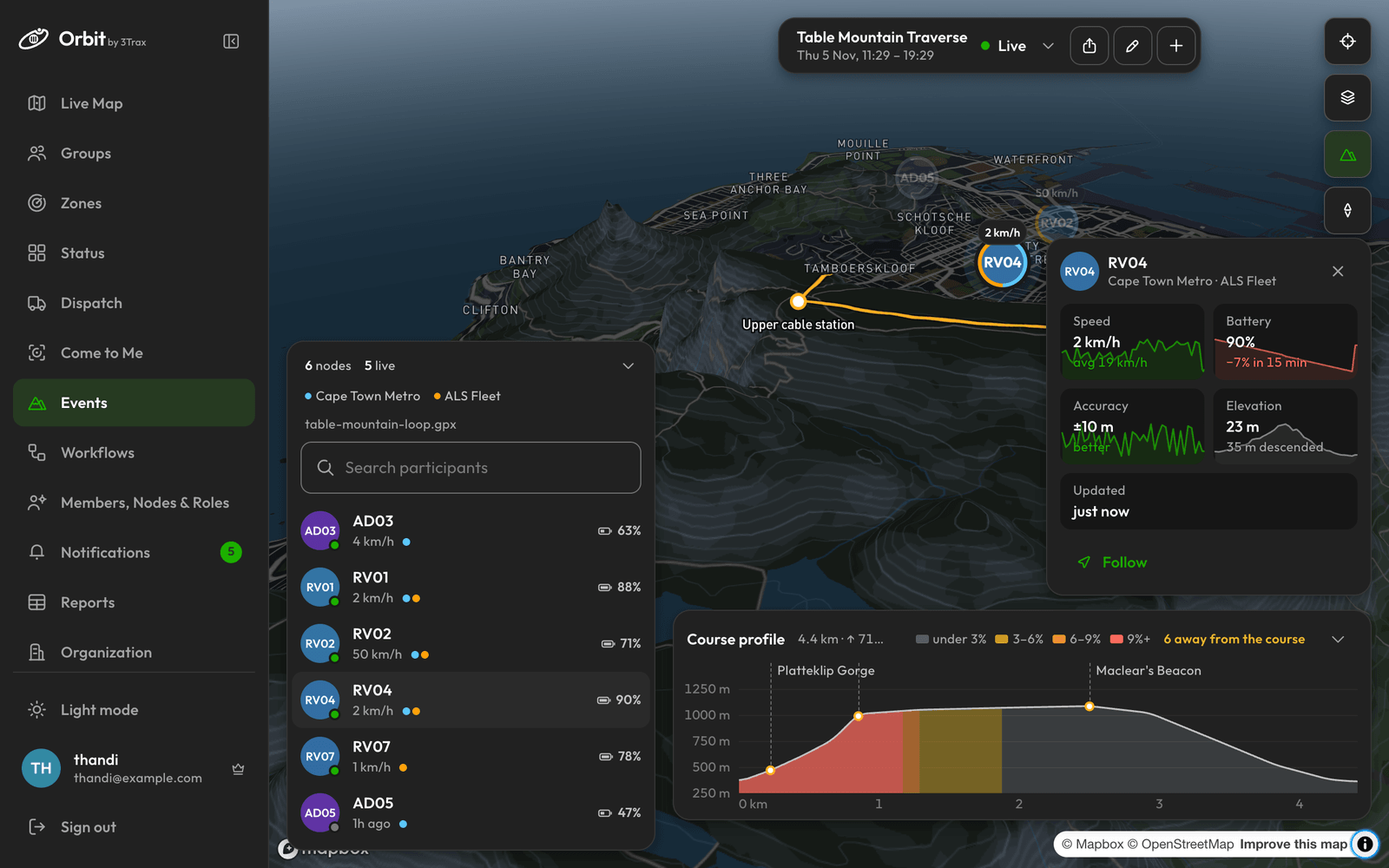
The selector at the top shows each event as Live, Upcoming or Ended.
- The panel lists everyone taking part, with how many are live and how many are off course. Use Search participants to find someone.
- Click a person for their Speed, Battery, Accuracy, Elevation and Updated, and how far along the course they are.
- Click Follow to stay on them, or Message if you have Messages.
- Course profile shows the elevation chart, with riders and waypoints on it.
Waypoints in your GPX get icons from their names, such as water, food or finish.
Share with spectators
- Click the Spectator link icon.
- Click Copy with notice. This copies the link along with a notice that anyone who has it can view live positions. Use this version when you send it to anyone.
The link opens when the event starts and closes when it ends. To stop a link working, click Replace link. The old link stops at once, including for anyone watching.
Edit or delete
Click the Edit event icon, make your changes and click Save. To remove the event, click Delete there and confirm. This can't be undone.
What events don't do
An event has one start and one end. Orbit has no checkpoints with times, results, leaderboards or stages.